


Camera for Android: Pro Camera
4.6103.00 Reviews
App Specs
- Version
- 3.1.0
- Updated On
- License
- Free
- Downloads
- 1,000,000+
- Developer
- Easyelife
- Categories
- Photography
- Platform
- Android
Screenshots
 Analysis by AppCompare
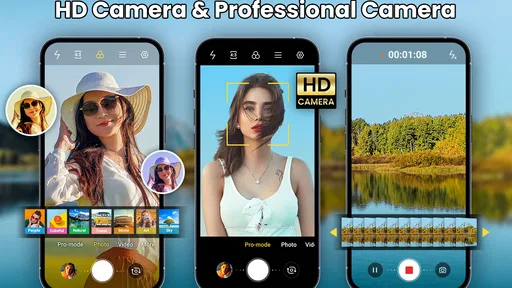
Ever found yourself in a picture-perfect moment but your built-in camera app just doesn’t cut it? Enter Camera for Android: Pro Camera. I’ve been playing around with this app for a while, and honestly, it’s like having a DSLR in your pocket. Let’s dive into what makes this app a must-have for photography enthusiasts.
Features that Make You Say Cheese
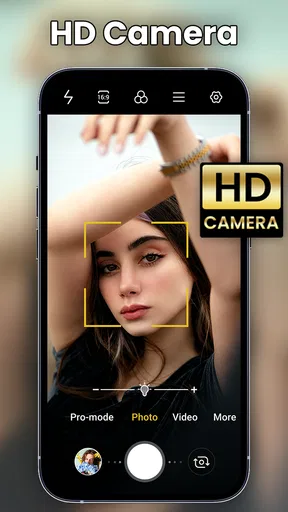
One of the first things you’ll notice about Camera for Android: Pro Camera is its sleek and intuitive interface. It’s designed to be user-friendly, so you don’t need a degree in photography to navigate through its features. You’ll find everything neatly organized, making it easy to switch between modes and settings.
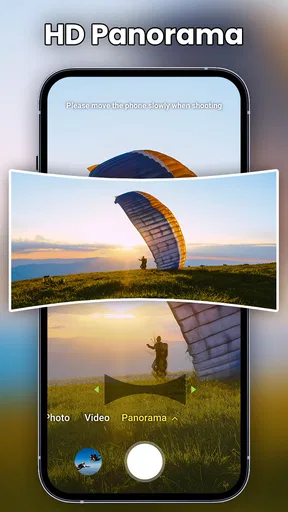
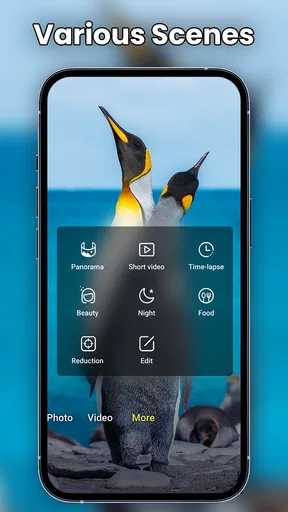
The app offers a variety of shooting modes, including HDR, Panorama, and Night mode. The HDR mode is particularly impressive. It captures multiple photos at different exposures and combines them to create a single, perfectly lit image. It’s like magic!
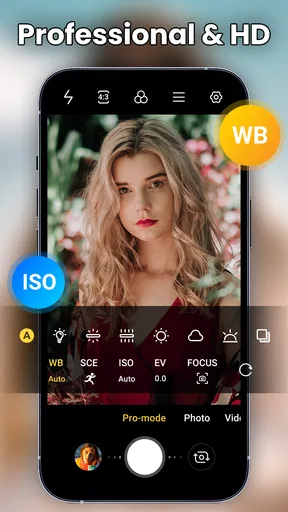
Another cool feature is the manual controls. You can adjust the ISO, focus, white balance, and shutter speed just like you would on a professional camera. This level of control allows you to experiment and get creative with your shots.
Editing on the Go
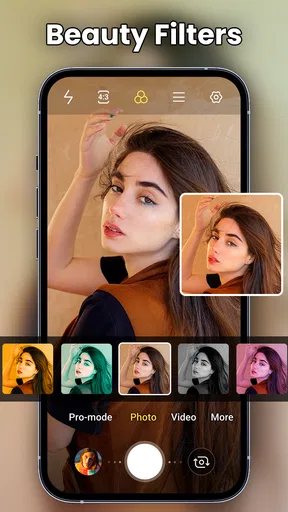
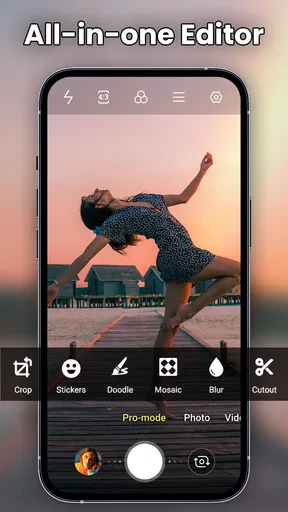
What’s a good photo without some fine-tuning? This app doesn’t just stop at taking pictures; it also offers a built-in editor. You can crop, rotate, adjust brightness, and even apply filters directly within the app. It’s perfect for those quick edits before you share your masterpiece on social media.
I particularly love the selection of filters. They’re not over-the-top like some other apps, which means you can enhance your photos without making them look overly processed. And if you’re into selfies, there’s a beauty mode that smooths skin and brightens eyes without making you look like a wax figure.
Performance and Usability
In terms of performance, Camera for Android: Pro Camera is a beast. It’s fast and responsive, with hardly any lag between shots. Even in low-light conditions, it manages to capture decent photos without too much noise.
Worth Reading Before You Choose

EA SPORTS FC Mobile 26 Is a Bigger Football Game, but It Takes Time

Flipboard Shows What News Apps Must Do Beyond the Feed

Switching to Android Auto Means Rethinking Your Driving Routine

Google Calendar Makes a Crowded Week Easier to Manage

Ludo King Makes the Most of the Minutes Between Plans

Baby Panda World Brings Quick Play to Modern Phones, but Its Game Library Feels Busy
The app is also light on your phone’s resources, which means it won’t drain your battery or hog your storage space. This is a huge plus for those of us who are always on the go and can’t afford to have our phone die mid-photoshoot.
Why It Stands Out
So, what makes this app stand out from the sea of other camera apps? For me, it’s the combination of professional-grade features and ease of use. Whether you’re a budding photographer or just someone who loves capturing life’s moments, this app offers something for everyone.
Plus, the developers are constantly rolling out updates, adding new features, and fixing bugs, so you know you’re getting an app that’s well-supported and evolving with the times.
To wrap it up, if you’re looking for a comprehensive camera app that offers more than just point-and-shoot functionality, Camera for Android: Pro Camera is definitely worth checking out. It has transformed the way I take photos, and I’m sure it will do the same for you. So go ahead, give it a shot, and let your creativity run wild!
Pros
- High-resolution photo quality.
- Intuitive user interface.
- Variety of shooting modes.
- Manual controls available.
- Fast shutter speed.
Cons
- Consumes a lot of battery.
- Limited free features.
- Occasional app crashes.
- Steep learning curve for beginners.
- In-app purchases can be pricey.
FAQs for Camera for Android: Pro Camera
What features does Camera for Android: Pro Camera offer?
Camera for Android: Pro Camera is packed with features that cater to both amateur and professional photographers. It includes manual controls for ISO, shutter speed, and focus, allowing for precise adjustments. Additionally, it offers HDR support, various shooting modes, and advanced filters to enhance your photos. The app also supports RAW format for high-quality image processing.
Is Camera for Android: Pro Camera suitable for beginners?
Yes, Camera for Android: Pro Camera is designed to be user-friendly and is suitable for beginners. It offers automatic settings and easy-to-navigate menus for those who are new to photography. The app provides tutorials and tips to help users understand its features and improve their photography skills over time.
Does Camera for Android: Pro Camera support video recording?
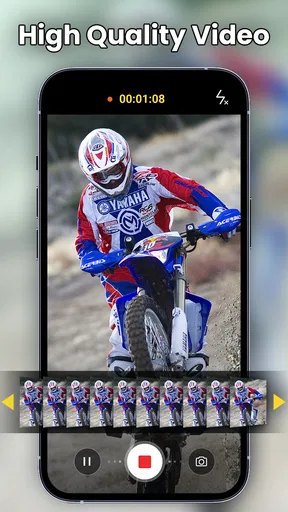
Absolutely, Camera for Android: Pro Camera supports video recording with high-definition quality. Users can shoot videos in various resolutions, including 4K, and have access to features like slow motion and time-lapse. The app also offers manual video controls and stabilization options to ensure smooth and professional-looking videos.
Are there any in-app purchases or subscription fees?
Camera for Android: Pro Camera offers a free version with basic features. However, to unlock all advanced features and tools, users may need to make in-app purchases or subscribe to a premium version. This premium access typically includes additional filters, advanced editing tools, and ad-free experience.
How does Camera for Android: Pro Camera compare to stock camera apps?
Camera for Android: Pro Camera is more advanced compared to stock camera apps. It provides a wider range of features, such as manual controls and professional-grade tools, that are not typically available in default camera apps. This app is ideal for users looking to take their photography to the next level with more customization and control options.


